.jpeg)

Building a high-performing computer vision model is one challenge. Deploying it across multiple edge devices (factory floors, retail stores, remote monitoring stations) and managing that fleet at scale is another. Edge inference brings AI directly to your devices for real-time decision-making, but deployment complexity has traditionally been a major bottleneck.
Datature Outpost transforms edge deployment from a complex DevOps challenge into a streamlined, one-click operation.
What is Edge Inference?
Edge inference runs machine learning models directly on devices at the "edge" of your network: cameras, IoT devices, edge servers, rather than sending data to centralized cloud servers. Think of it as bringing the intelligence to the data source.
In traditional cloud-based computer vision systems, cameras capture images or video and send them over the network to a central server or cloud platform for processing. The server runs the AI model, generates predictions, and sends results back to the edge device. This round-trip introduces latency, consumes bandwidth, and creates dependencies on network connectivity.
With edge inference, the AI model lives on the device itself. When a camera captures an image, the processing happens locally in real-time. The device makes decisions immediately and only sends relevant information back to central systems (like detection alerts, summary statistics, or flagged anomalies) rather than streaming raw video constantly.
For example, a security camera with edge inference can detect and classify objects on-site within milliseconds. It only notifies your central system when something important happens, rather than streaming hours of footage that needs to be processed elsewhere.
Why Does Edge Inference Matter?
- Real-time processing: Decisions happen in milliseconds where data is captured, eliminating network latency
- Bandwidth savings: Transmit only insights (detection events, metadata) instead of raw video. This reduces bandwidth by 95-99%.
- Privacy & compliance: Process sensitive data locally; only anonymized insights leave the device
- Offline operation: Systems continue functioning during network outages
- Linear scalability: Each device adds processing capacity rather than consuming it
Example: A manufacturing line inspecting 1,000 units/hour. Cloud-based processing sends 2-3 GB/hour to remote servers with unpredictable latency. Edge-based processing analyzes each product in 50-200ms locally, flagging defects instantly while only transmitting lightweight metadata.
Deploying To The Edge With Datature Outpost
Datature Outpost is a fully-managed deployment container for edge devices that bridges the gap between model development in Datature Nexus and production deployment at scale.
Key capabilities:
- One-Click Deployment: Deploy trained models from Nexus to edge devices with a single action
- Fleet Management: Monitor and control 10 to 10,000 devices from a centralized dashboard
- Real-Time Monitoring: Track device health, GPU utilization, inference metrics, and custom KPIs
- Flexible Configurations: Add and customize postprocessing logic in your pipelines with YAML-based specifications
- Version Control: Deploy updates, rollback changes, and maintain complete deployment history
- Hardware Agnostic: Supports most Linux-based edge computing platforms such as NVIDIA Jetson and x86 servers
Tutorial: Deploying Your First Model to the Edge
What you'll need:
- A trained model in Datature Nexus (lightweight models work best for real-time inference)
- Edge device running Linux (Ubuntu 20.04+ or Jetpack 6.0+ recommended) with at least 4GB RAM and 2GB free storage
- Network connectivity and root access for initial setup
Step 1: Get Workspace Credentials
- Go to your Workspace Dashboard in Nexus
- Click ⚙️ Settings → Key Manager tab
- Click Generate Secret Key
- Save your Workspace ID and Secret Key
Important: The Secret Key is shown only once. Store it securely. You'll need it for device setup.
Step 2: Prepare Your Model
- In Nexus, navigate to your project and go to the Artifacts tab
- Click the three dots on the model card of your choice to expand the options
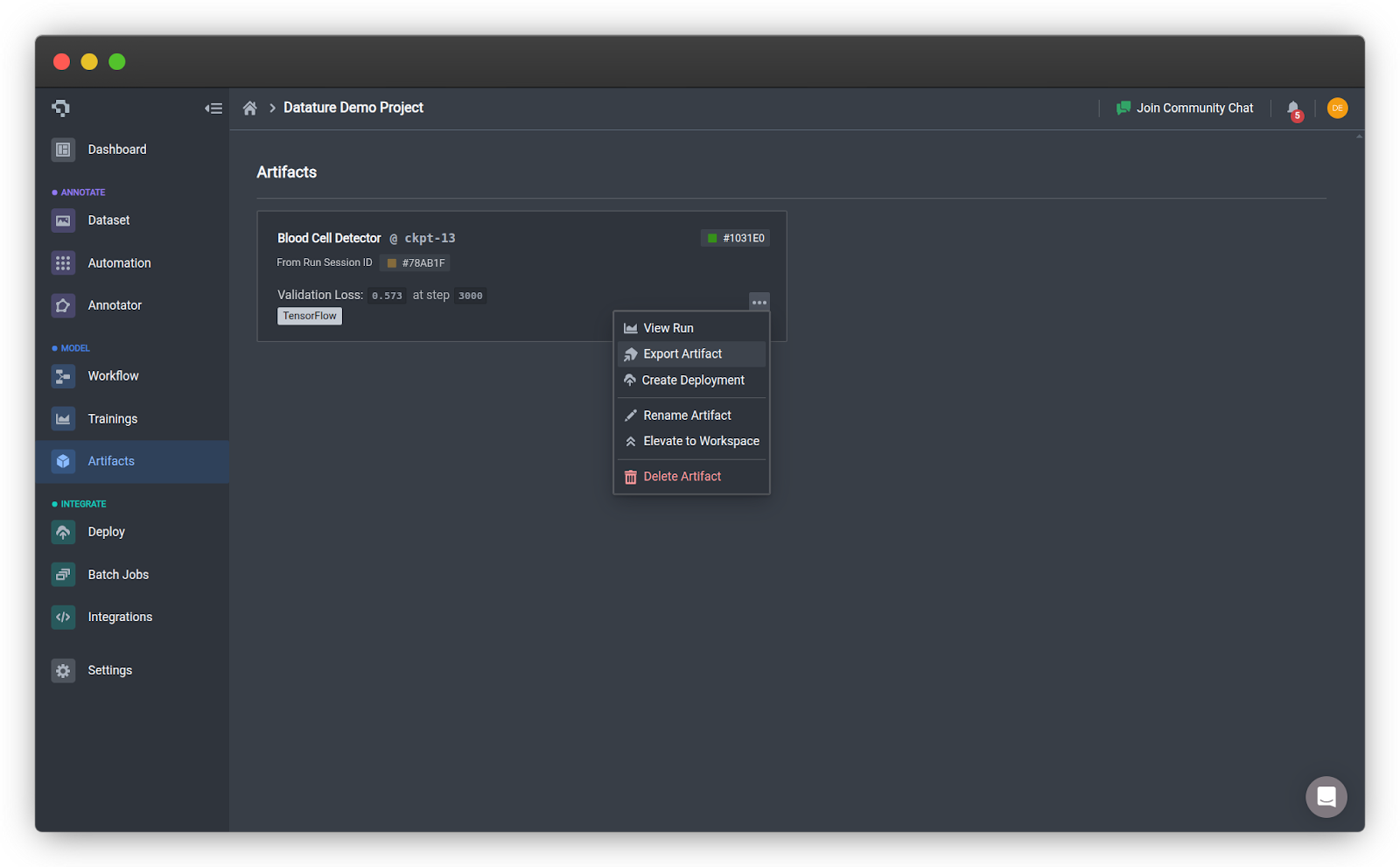
- Click Export Artifact on your trained model
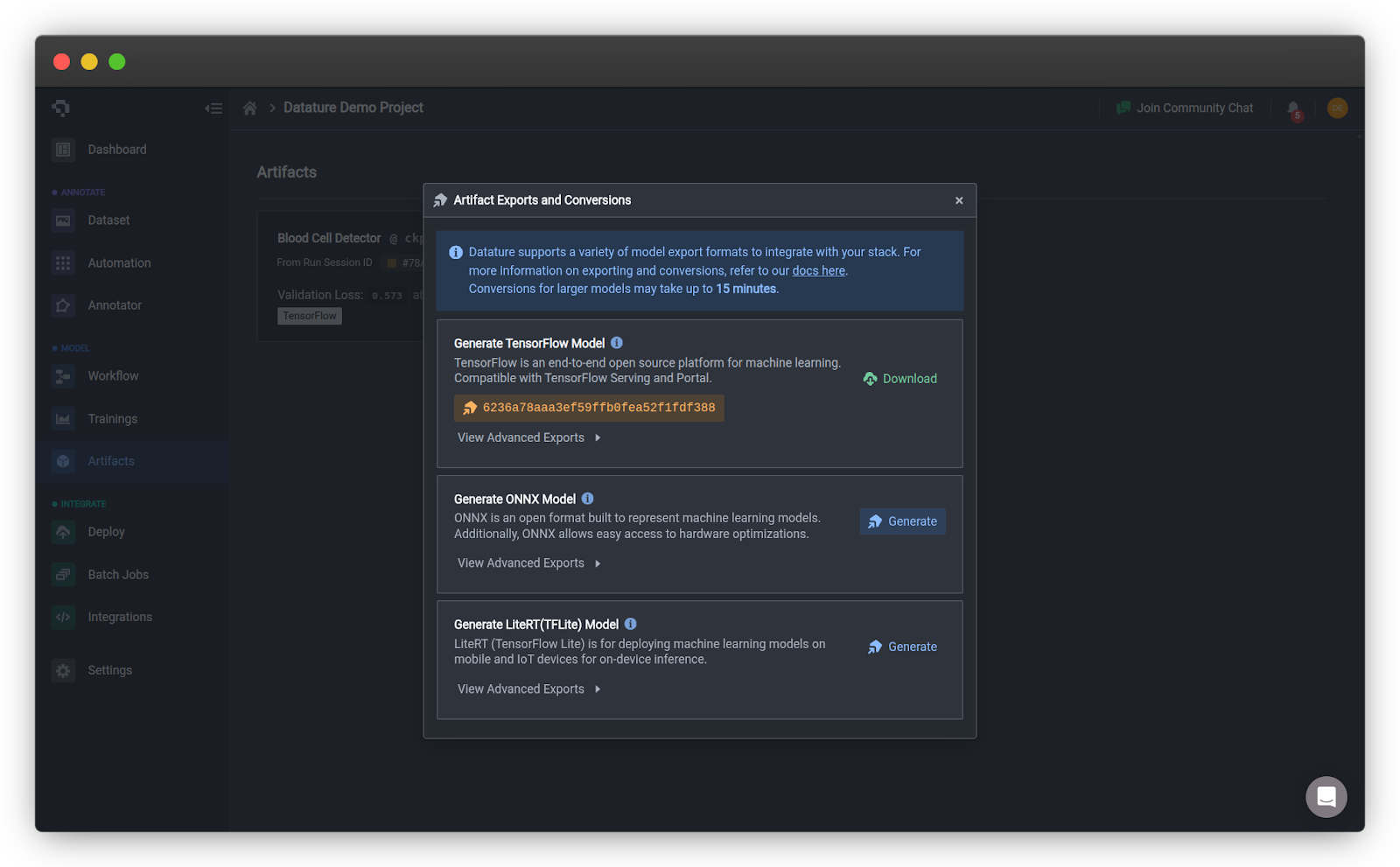
- Select the ONNX export format and click Generate
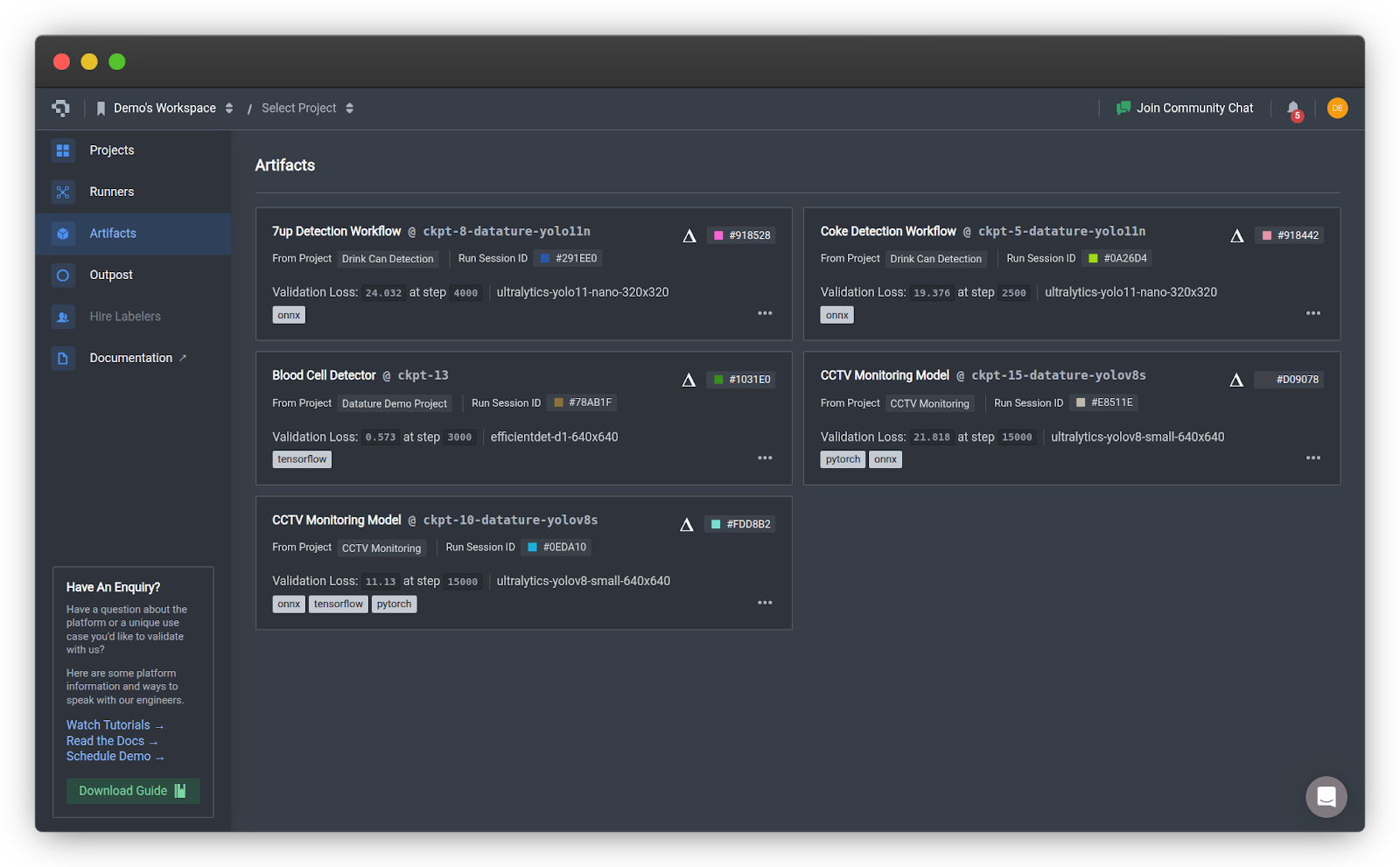
- Click Elevate to Workspace to make it available for deployment. You should be able to see your model in the Artifacts page in your home page.
Step 3: Install Outpost
Install Datature SDK and CLI on your edge device:
pip install datatureAuthenticate your workspace:
datature projects auth
[?] Enter the project secret: ************************************************
[?] Make [Your Project Name] the default project? (Y/n): y

Authentication succeeded.
Run installation wizard:
datature outpost installThe installer will guide you through the following steps:
⠹ Checking system specifications...
✔ Success: System requirements verified.
Accepting the License Agreement
? Please confirm that you have reviewed and accepted the Datature Outpost License Agreement.

By proceeding with installation, you acknowledge compliance with the terms and conditions.
Full agreement available at: https://www.datature.io/outpost/license Yes
Device Configuration
? Enter a descriptive name for this device: warehouse-camera-01
? Select your preferred timezone: Asia/Singapore
? Enter device tags as name:value pairs, separated by commas (optional): location:warehouse,floor:1,zone:receiving
Pro tip: Use consistent tags to organize devices by location or function for easier fleet management.
For the first deployment, use the default runtime configuration:
? Select deployment configuration type: Create New Configuration (Default)
? Enter a descriptive name: warehouse-quality-check-v1
The default configuration includes: 30 FPS capture, 0.5 confidence threshold, local storage, and active learning. You should modify the configuration to best suit your needs.
Then, you will need to select a runtime version. This is the software that powers your inference pipeline.
? Select a runtime version: latest (v0.1.63, recommended)The latest version is always recommended as it will contain the latest updates and bug fixes.
The installation will download runtime files and your model. Once the installation is complete, the runtime will start automatically.
✔ Certificate signing successful.
✔ Configuration files downloaded.
✔ Runtime files downloaded.

Runtime directory: /home/datature/outpost/runtime/1.0.0/outpost
✔ Runtime installation successful.
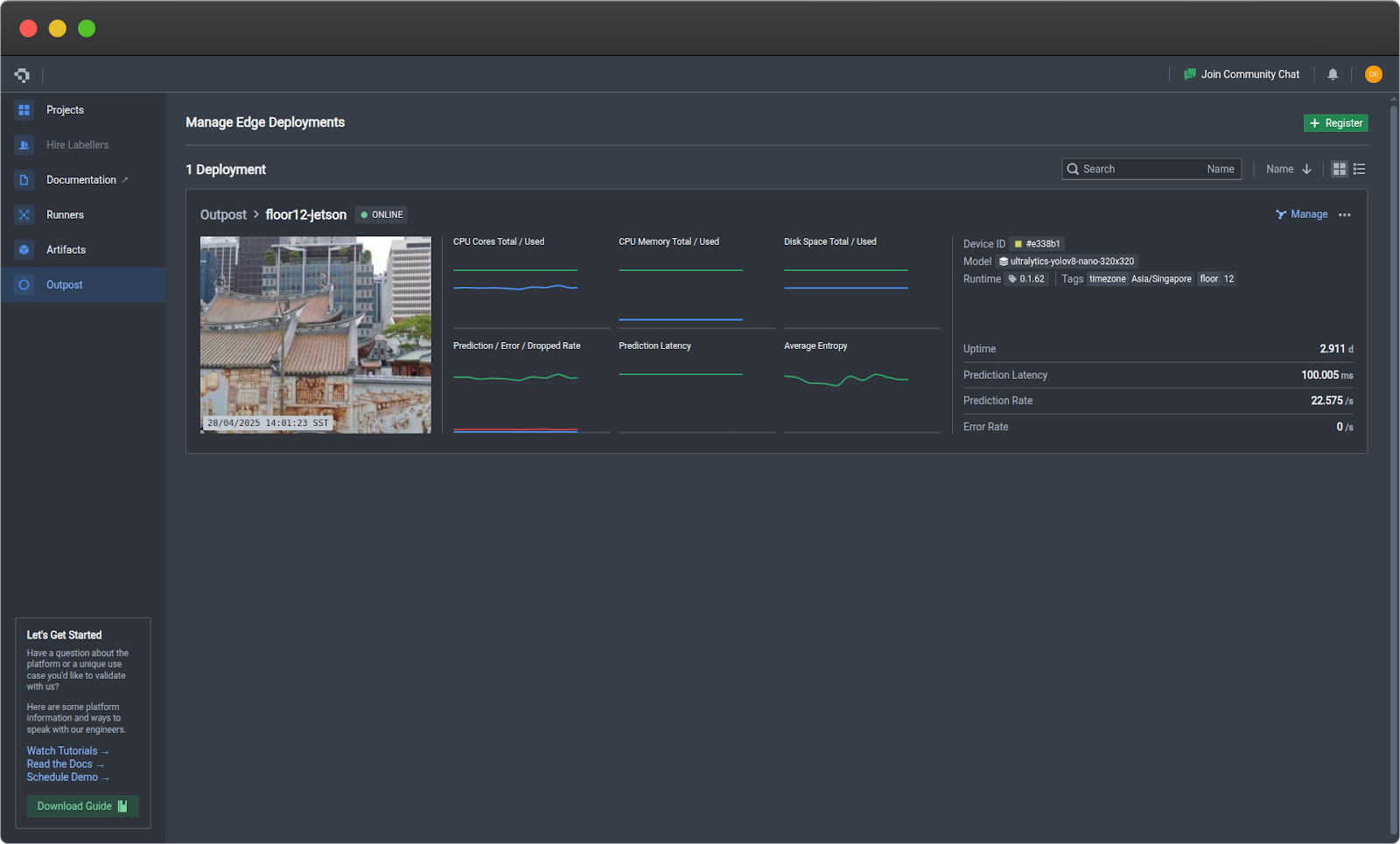
Step 4: Verify Deployment
- Return to Nexus → Outpost tab
- Your device card will appear in a few minutes showing:
- Device name and status (Active)
- Real-time metrics (CPU, memory, disk)
- Runtime version
Step 5: Monitor Performance
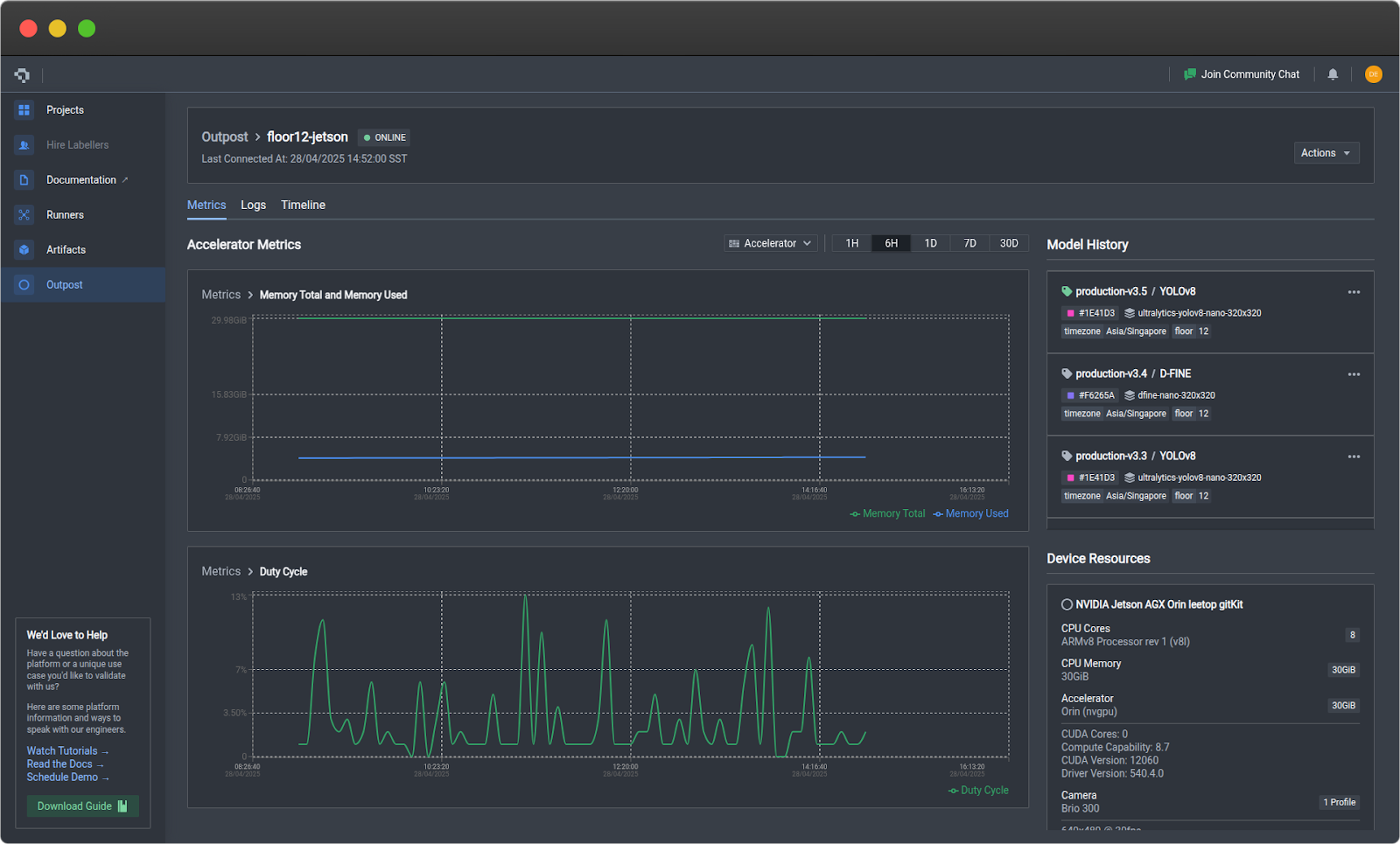
Click on your device card to access detailed monitoring:
Metrics Tab
- Device: CPU, RAM, disk usage, temperature
- Accelerator (GPU): GPU utilization, VRAM, duty cycle
- Prediction: Frame rate, error rate, latency, model confidence
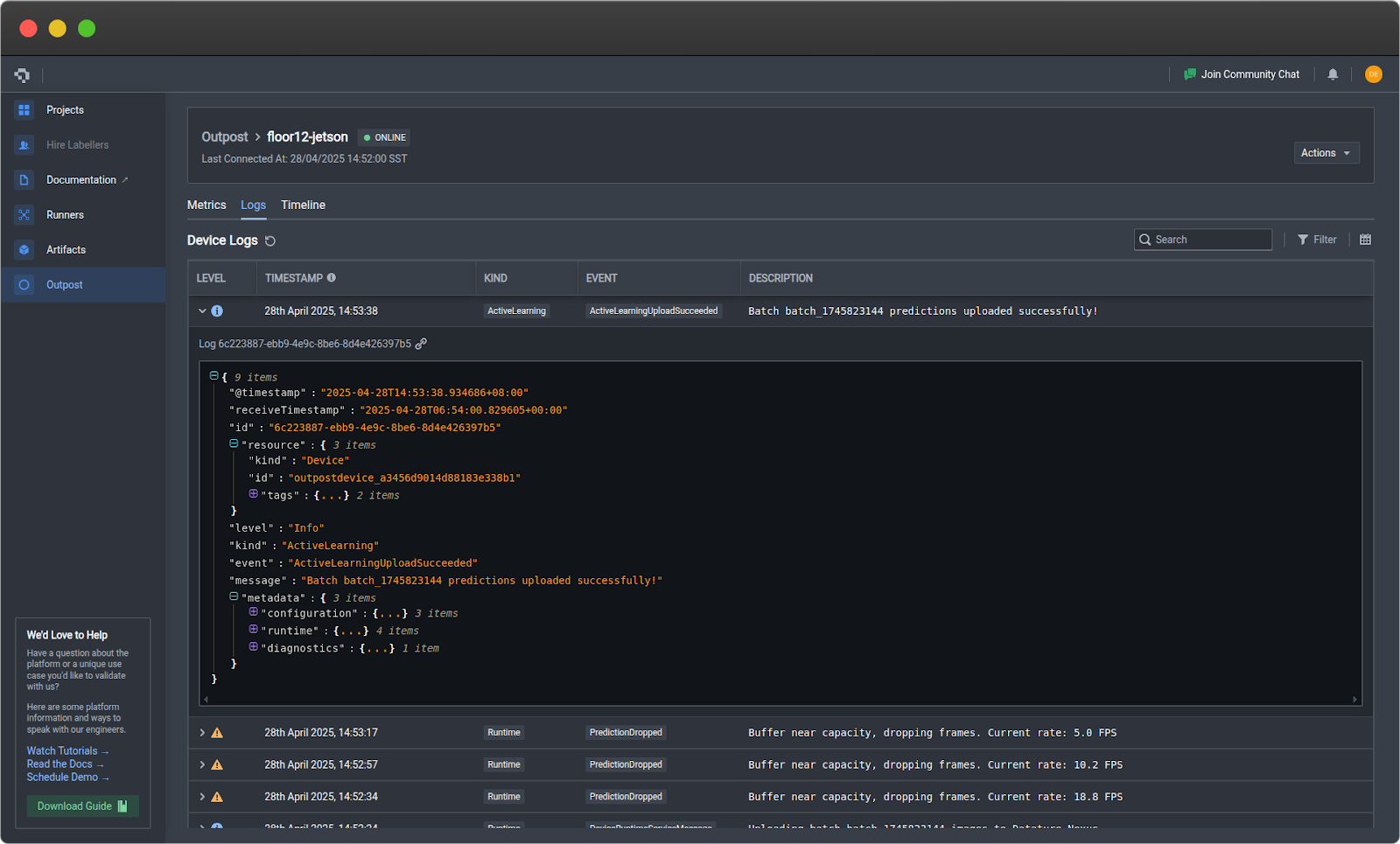
Logs Tab
- Filter by severity and component
- View error tracebacks
- Export logs for analysis
Step 6: Deploy Model Updates
If you have trained an improved model and want to swap it in place of the existing model:
- Export and elevate the new model in Nexus
- Click on the three dots on your Outpost device card
- Click Swap Model and select your new model
- Enter a version description
- Click Confirm
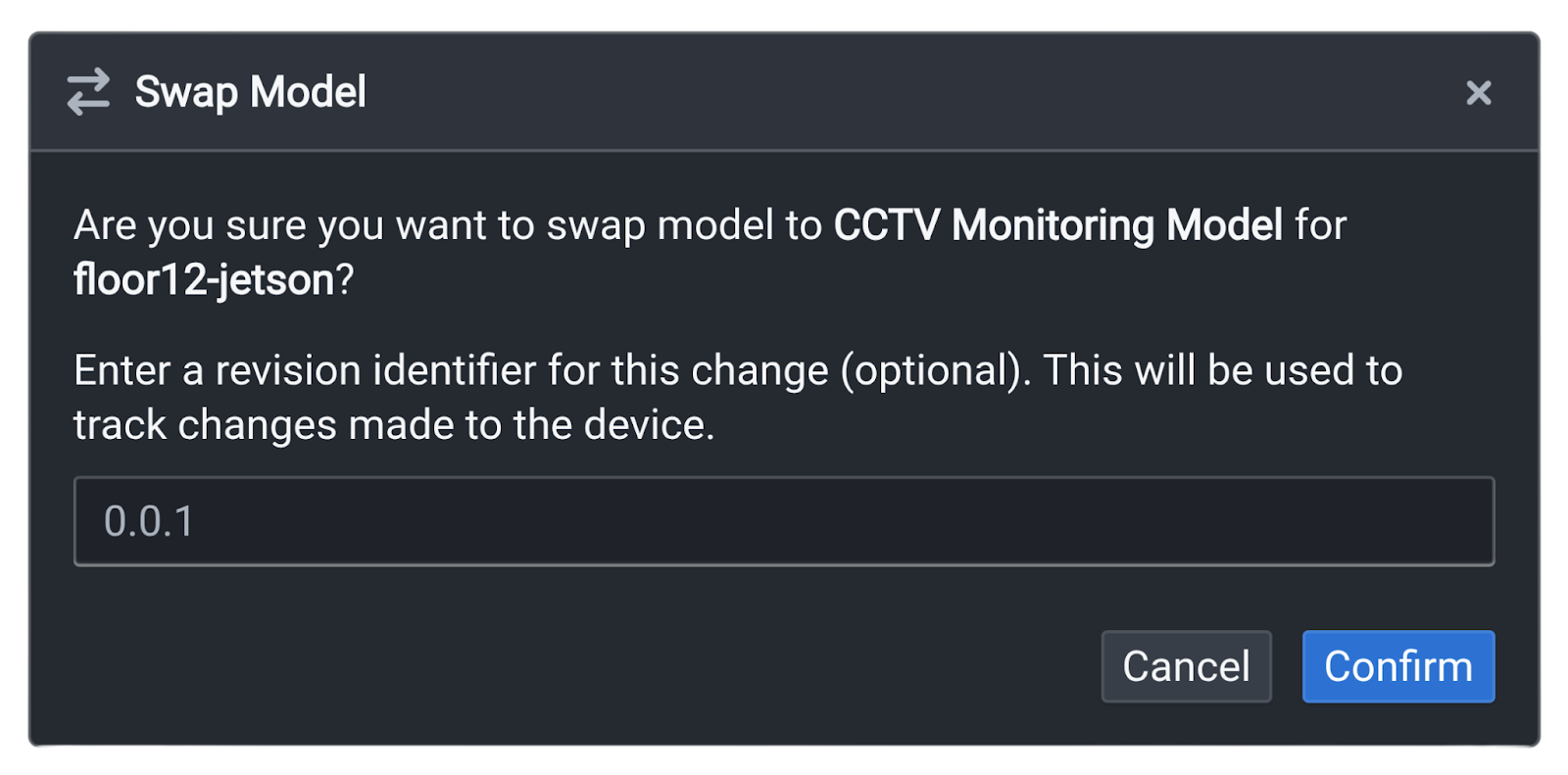
Outpost handles download, validation, and hot-swap automatically.
Step 7: Manage Device Runtime
To check the status of Outpost directly on your edge device, run:
datature outpost statusTo pause the runtime to conserve resources, run:
datature outpost pauseTo resume a paused runtime:
datature outpost resume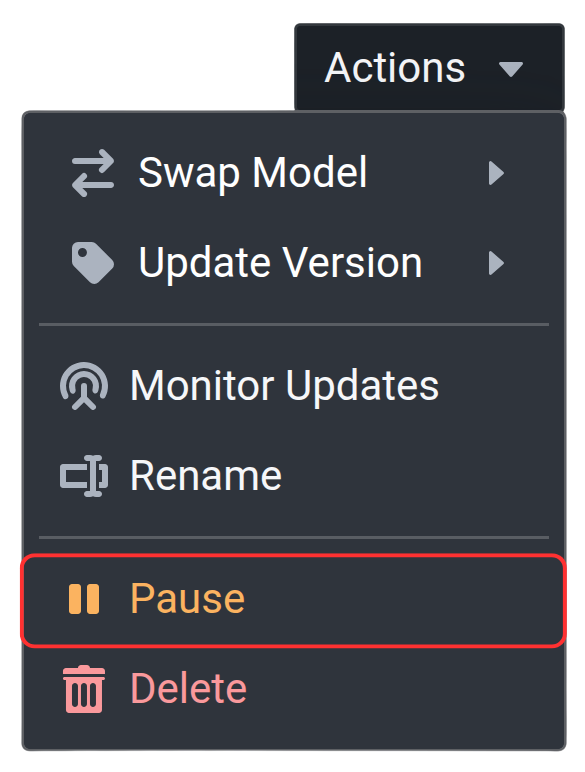
The pause and resume functionality can also be directly executed via your Outpost device card on Nexus, by selecting the corresponding buttons when clicking on the three dots.
What’s Next?
Once you have Outpost running, monitor performance on your device for 24-48 hours to establish a baseline, then optimize your configuration based on real-world data. Set up alerts for critical events and scale your deployment to additional devices as needed. For advanced integrations and API access, check out our developer documentation.
Start Deploying Today
Edge inference with Datature Outpost makes computer vision deployment accessible and scalable. From one-click model deployment to comprehensive fleet management, Outpost handles the operational complexity so you can focus on building better AI solutions.
Ready to deploy? Outpost is available to Datature customers. Contact our team to get started or explore the developer documentation.
Join our community on Slack to connect with other practitioners and get deployment support.
.png)
.png)